How Signal works, end to end
From a bare domain to a change made on your live site, in nine steps. Every screenshot below is Signal's actual interface — not a mock-up — showing real audit output for a demo site we built to have problems worth fixing.
The demo runs on a local address, which is why you will see a localhost domain in a couple of shots. Everything else is exactly what you get.
Add your domain and prove it is yours
You give Signal a domain, not a list of URLs. Ownership is proved the same three ways Search Console offers — a DNS TXT record, a meta tag, or a file at your site's root.
This is also what unlocks writing to your site later. Signal will not touch a domain nobody has proved they own.

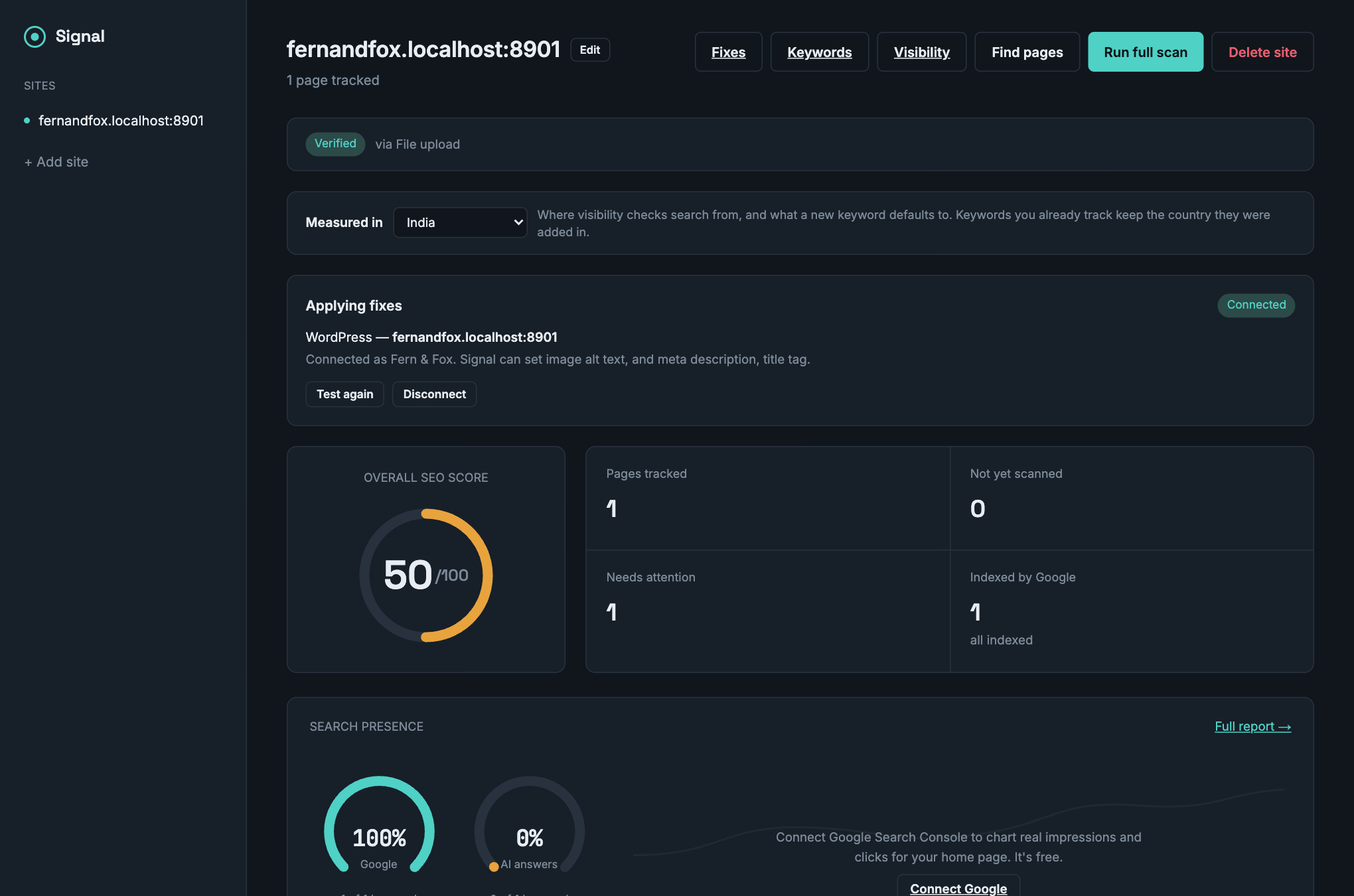
Signal finds your pages and scores them
It crawls from your sitemap and your own links, audits every page it finds, and rolls the results into one score. Nothing here costs a credit — crawling, auditing and scoring are free and unlimited.
Search presence sits on the same screen: how many of your tracked keywords rank in Google, and how many are named in AI answers.
Every check, and what is actually wrong
Eleven checks per page — title, meta description, headings, alt text, links, content length, keyword density, readability, canonical, robots and structured data. Each one says what it found, not just whether it passed.
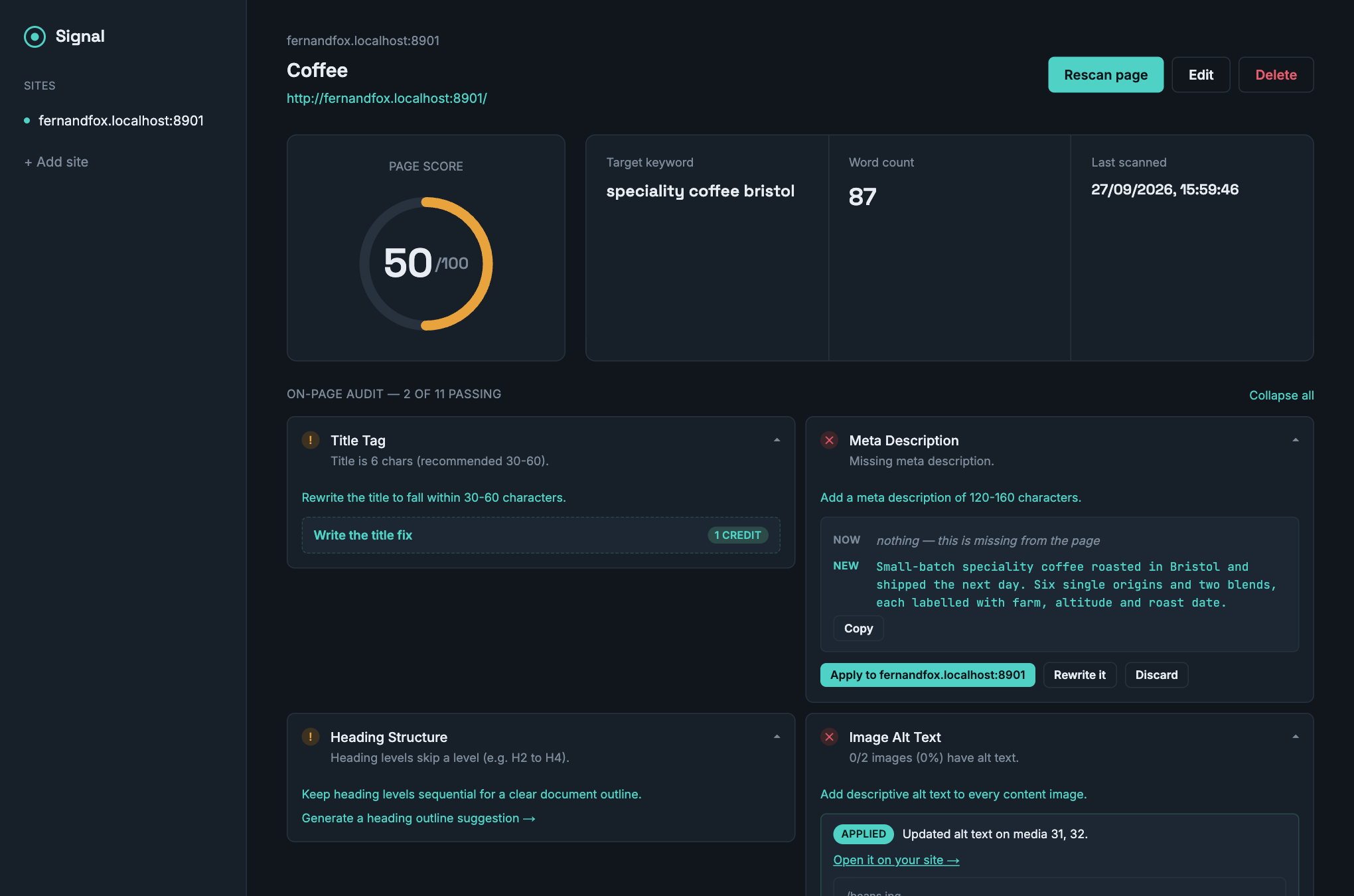
The fix, written as an exact change
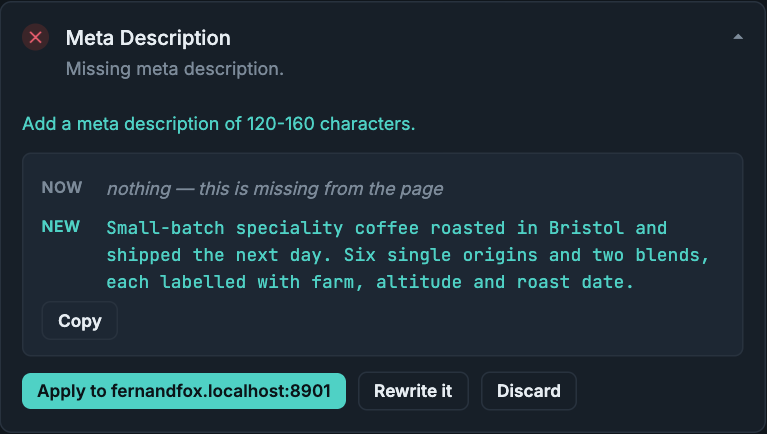
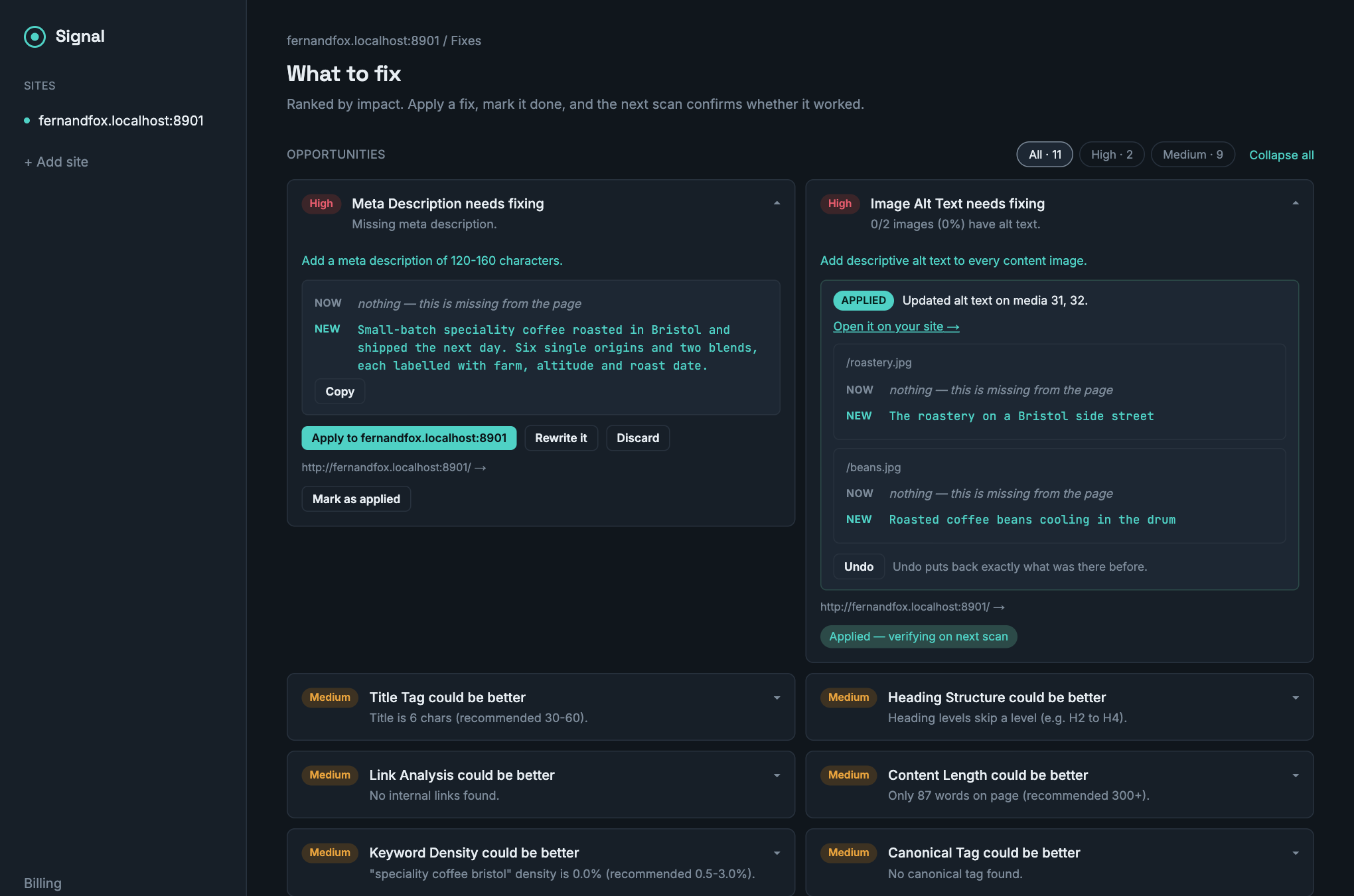
Signal writes the replacement and shows it against what is on the page now. Not advice about what a good meta description would contain — the text, next to the thing it replaces.
One credit, because a model wrote it. A canonical or robots tag costs nothing: those are computed, not generated.
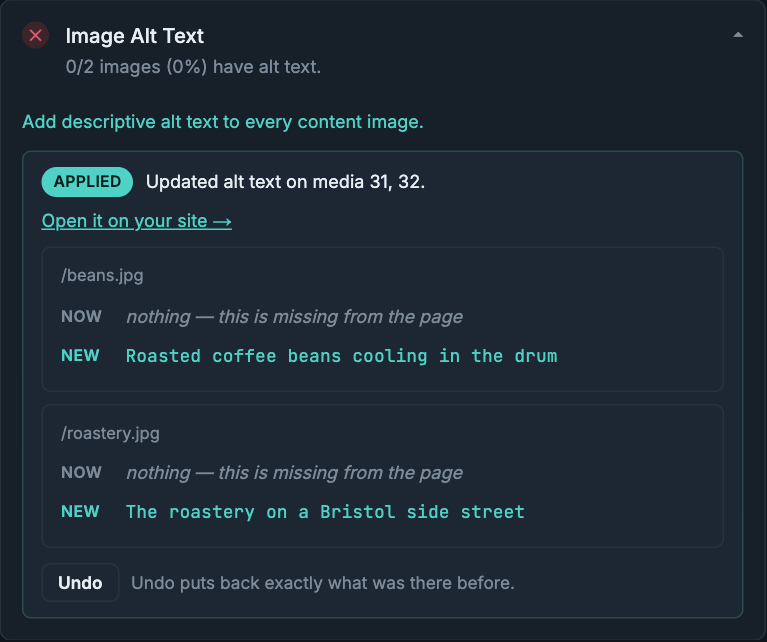
Signal makes the change, and you can undo it
Connect WordPress or a GitHub repository and Signal sets the value itself. On WordPress it is live when the button finishes. On GitHub it is a pull request you review and merge — never a push to your default branch.
Applying is free, and so is undoing it. The credit paid for writing the fix; a button you hesitate over is a button you do not press.
Decide what you are trying to rank for
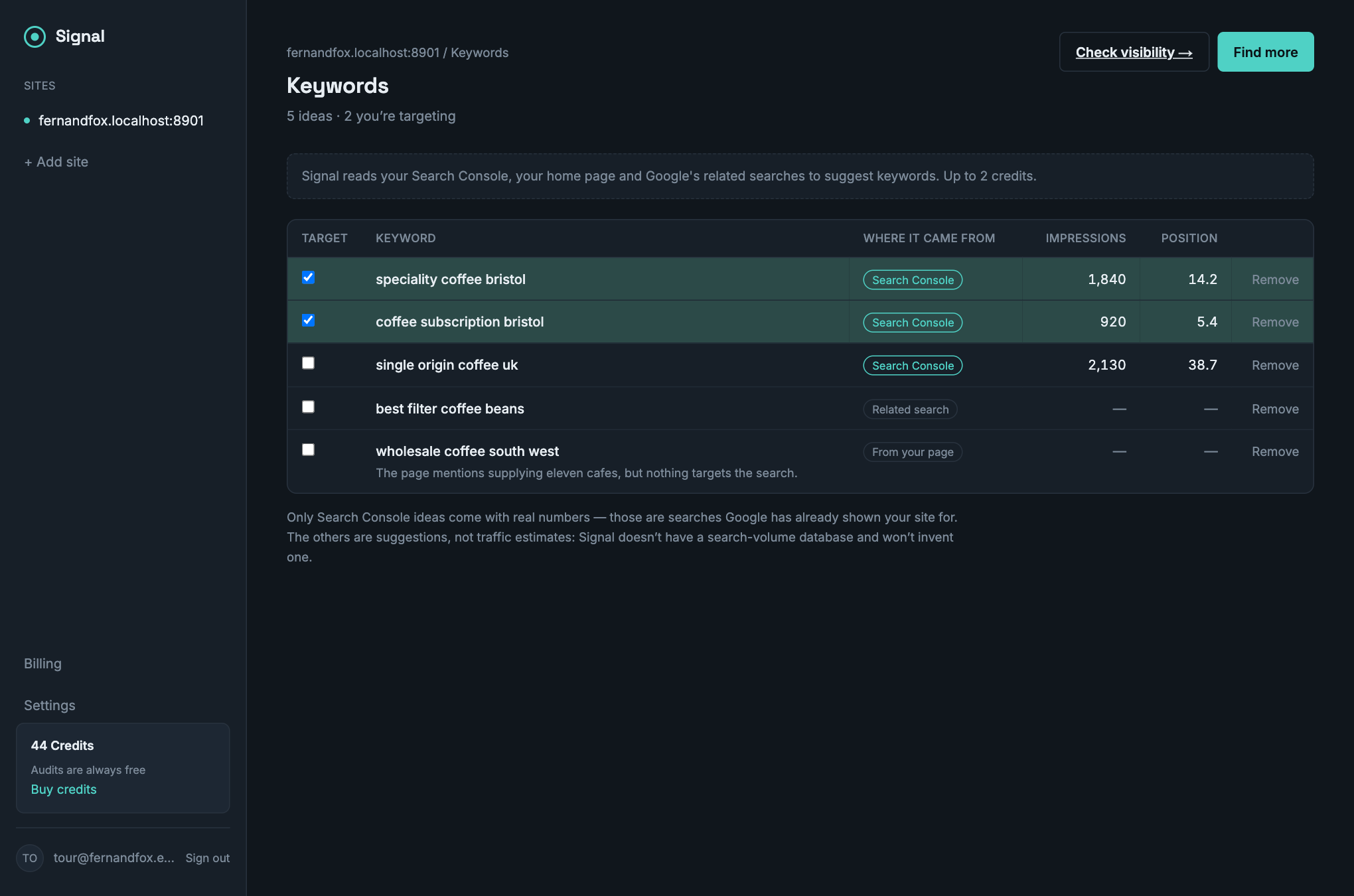
Signal suggests keywords from your Search Console data, your own page content and Google's related searches, and labels where each came from. You pick the ones worth tracking.
Only the Search Console ideas carry real numbers, because those are searches you have actually appeared for. Signal has no volume database and will not invent one.
Check Google, AI Overviews and ChatGPT
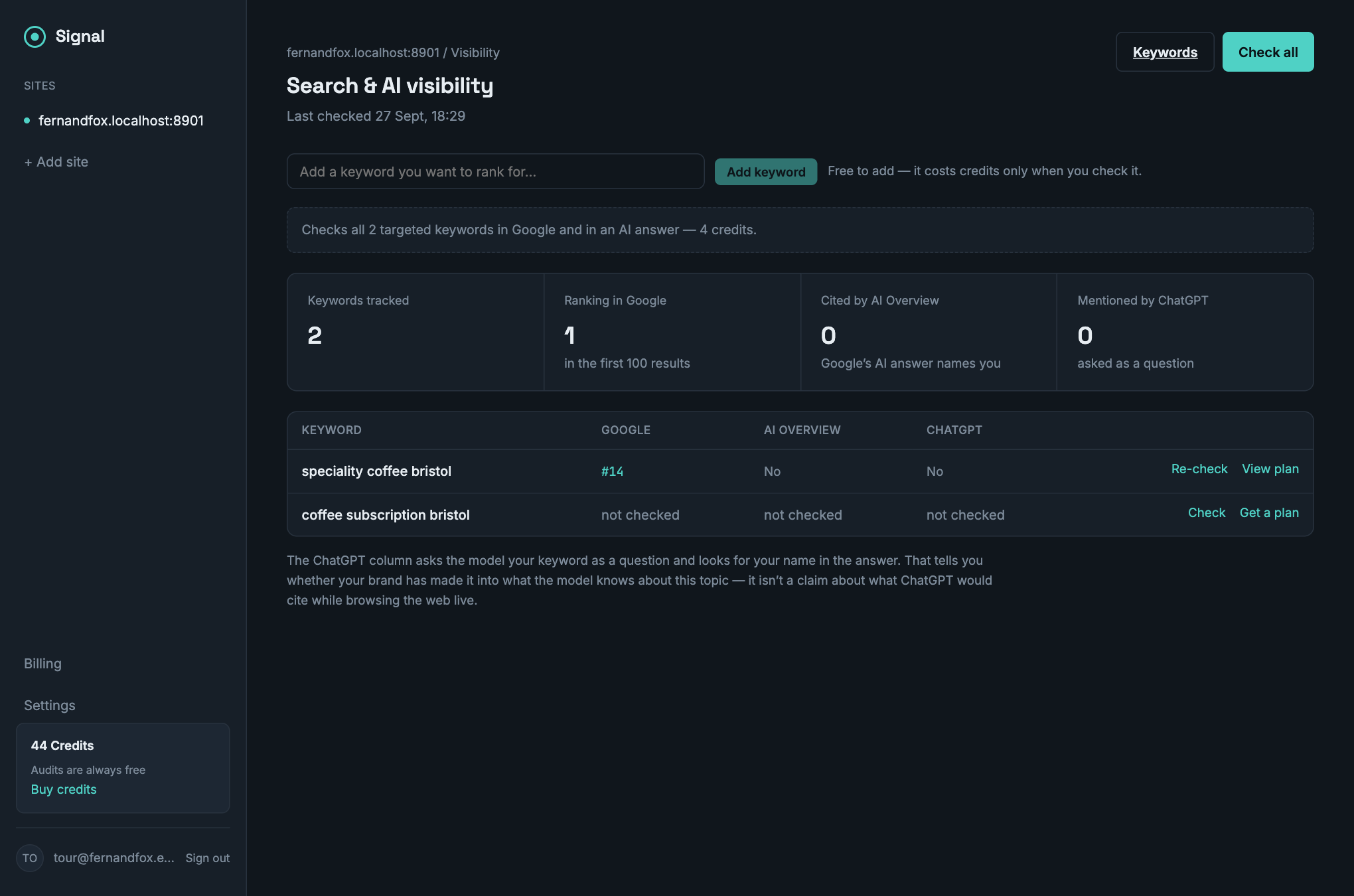
Ranking is no longer the whole question. For each keyword Signal checks where you rank, whether Google's AI Overview cites you, and whether an assistant names you when asked — and captures who won instead.
That evidence is what the advice is built from. A plan written without it is generic SEO advice, which helps nobody.
Everything that needs doing, in one ranked list
Failing checks and struggling keywords across every page, ordered by severity. The fix for anything Signal can apply is right there in the list, so you never go hunting for the page it belongs to.
You pay for results, not for looking at them
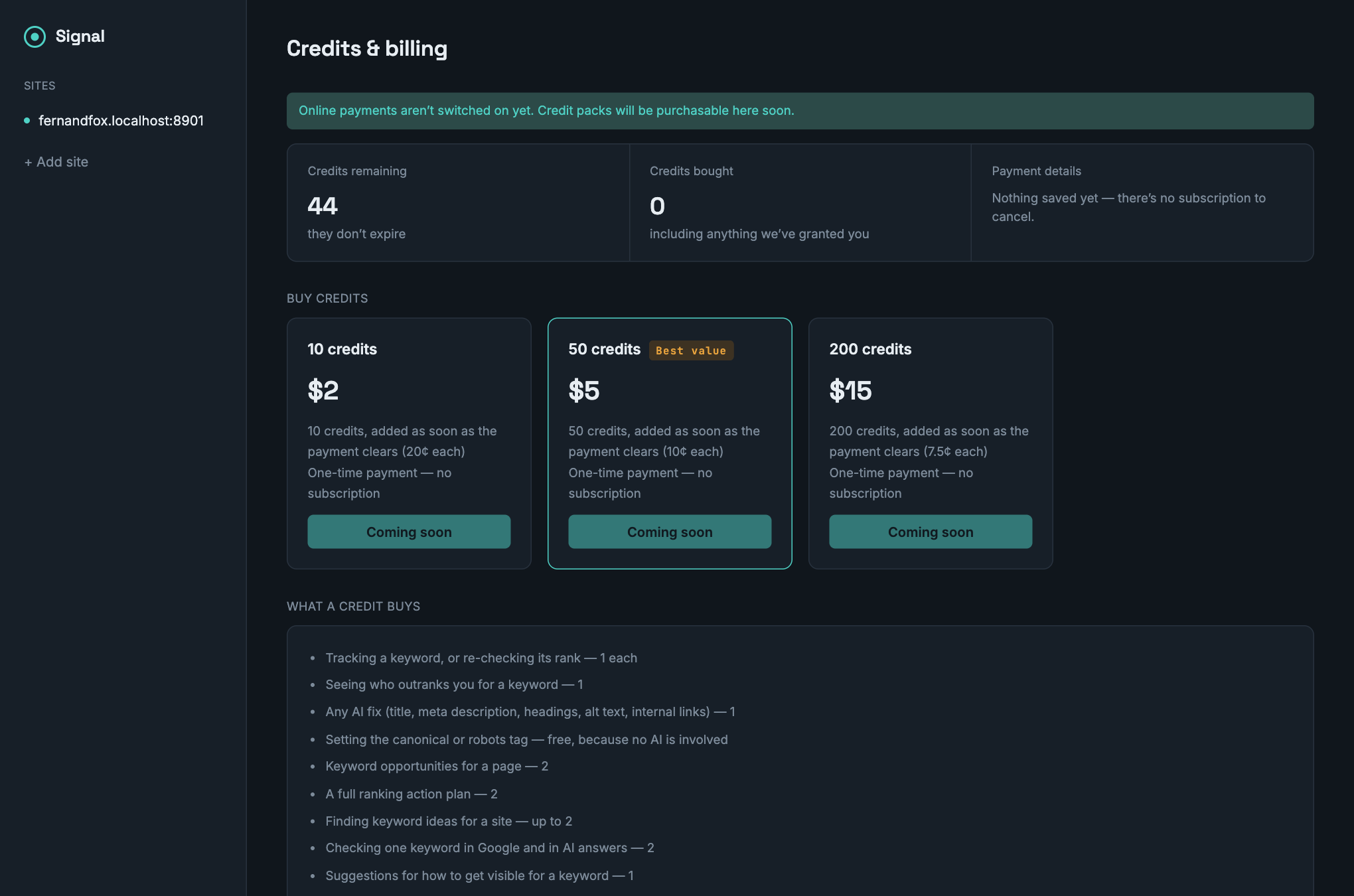
Signal sells credits and nothing else — no tiers, nothing recurring. A credit is spent when something costs Signal real money: a rank lookup, or a model writing something for you.
Re-opening anything a credit already bought is free. So are audits, scores, crawling, index checks and your Search Console data.
Where Signal stops
The useful question about any tool in this category is where it stops. Signal's answer, without hedging:
- It stops at your copy. Signal sets titles, meta descriptions, alt text, canonical and robots tags and structured data — things with one correct value. It drafts heading outlines and rewrites, and you apply those, because a wrong tag is a wrong tag while a rewritten paragraph is a page that no longer says what you meant.
- No link building. No backlink index, no outreach. Automated link building is the fastest route to a manual action, and doing it properly means maintaining a crawl of the web — a different business at a different price.
- No invented numbers. No search volumes, no difficulty scores, no traffic estimates. Where Signal has real data it shows it and says where it came from; where it does not, it says so instead of guessing.
- It will not decide what to publish. Signal can tell you the pages beating you all answer the question in their first paragraph. Whether that is a question your business should answer is not a machine's call.
Try it on your own site
New accounts start with free credits, and the parts that cost nothing — crawling, auditing, scoring, index checks — stay free however much you use them.